
Pay Multiple City of St. Louis Personal Property Tax Bills on payitSt.Louis
After you add your tax account on payitSt.Louis (see Add a City of St. Louis Personal Property Tax Account on payitSt.Louis), you can easily make payments for several tax bills at once. Follow the steps below to pay multiple tax bills in one transaction:
-
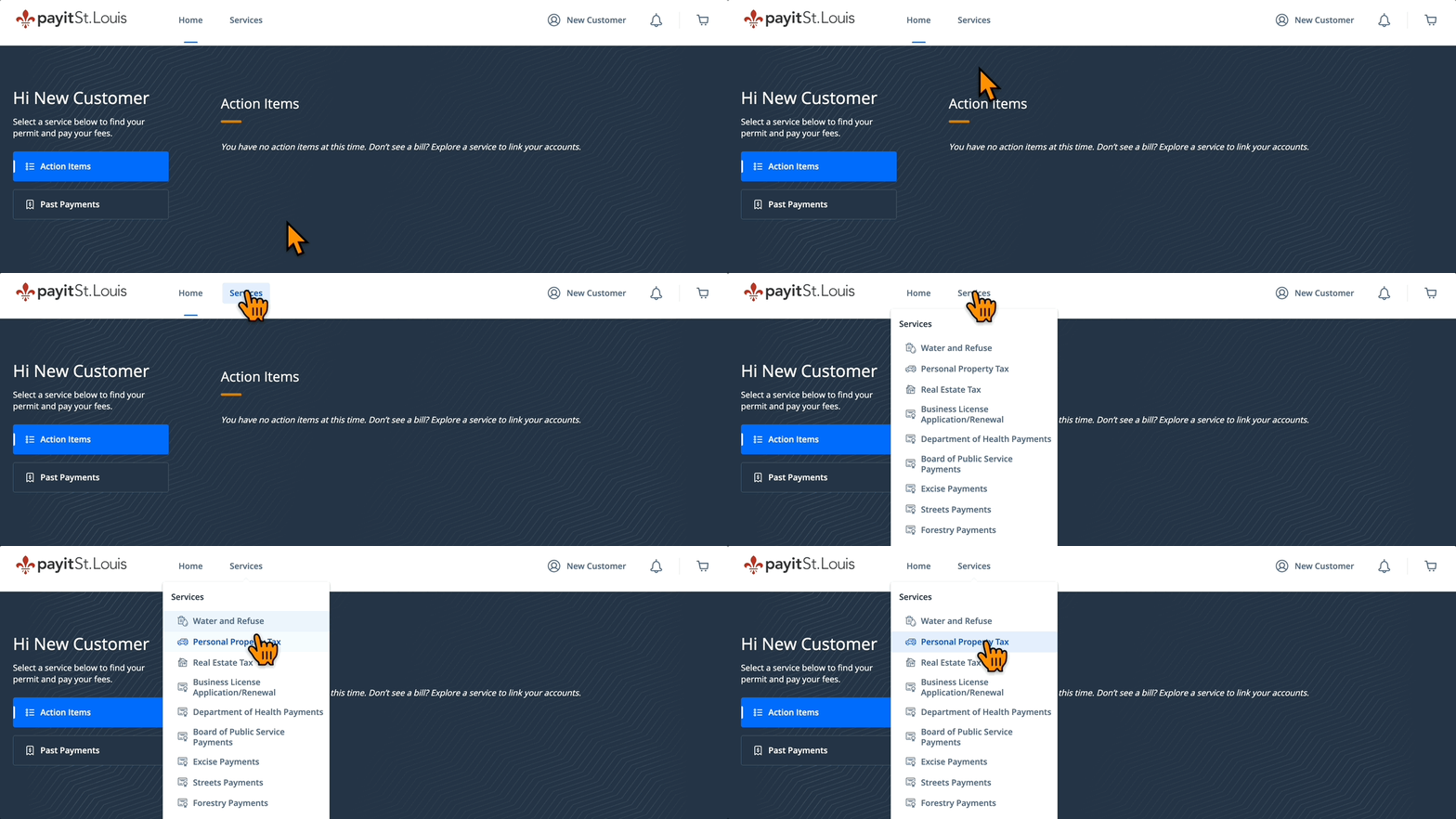
Select Personal Property Tax from the "Services" drop down menu
-
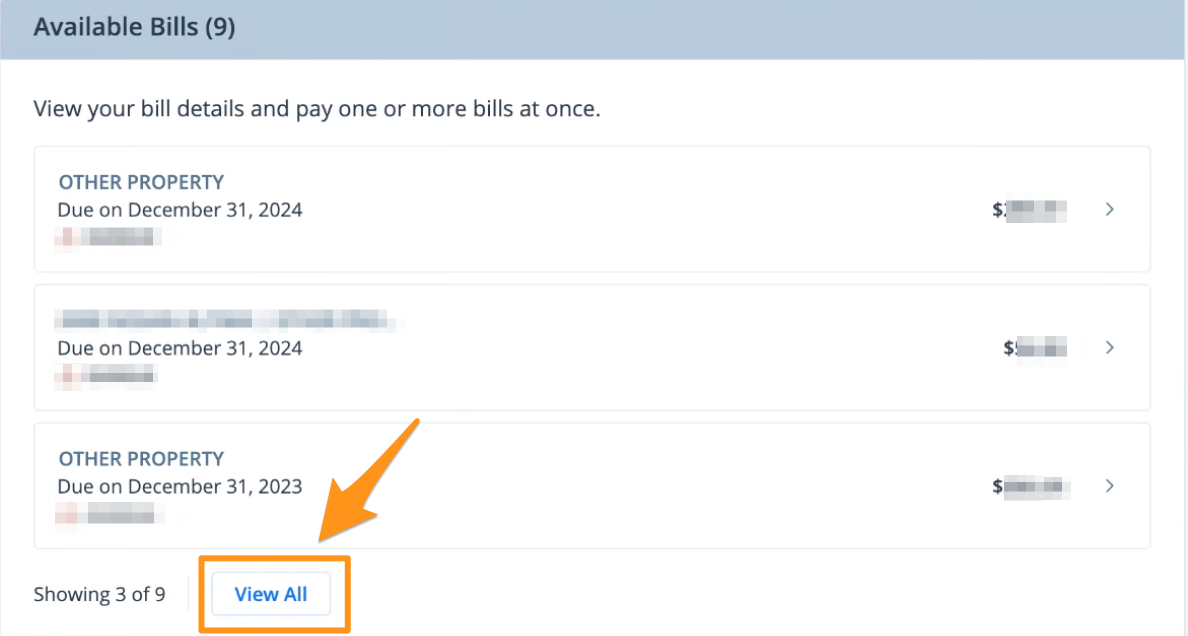
Under the "Available Bills" section, click View All
- Select the preferred bills then click the blue Add $--.-- to Cart button
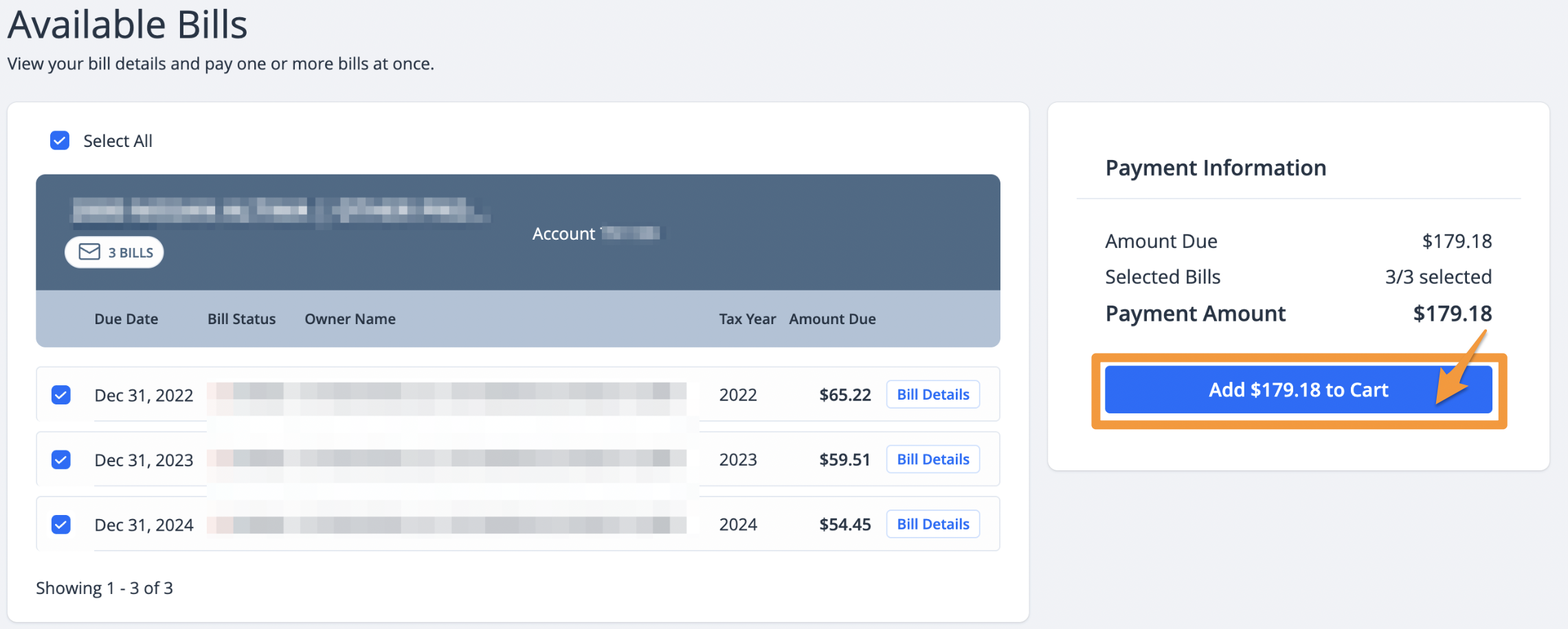
Note: Bills must be paid in order, from oldest to newest.
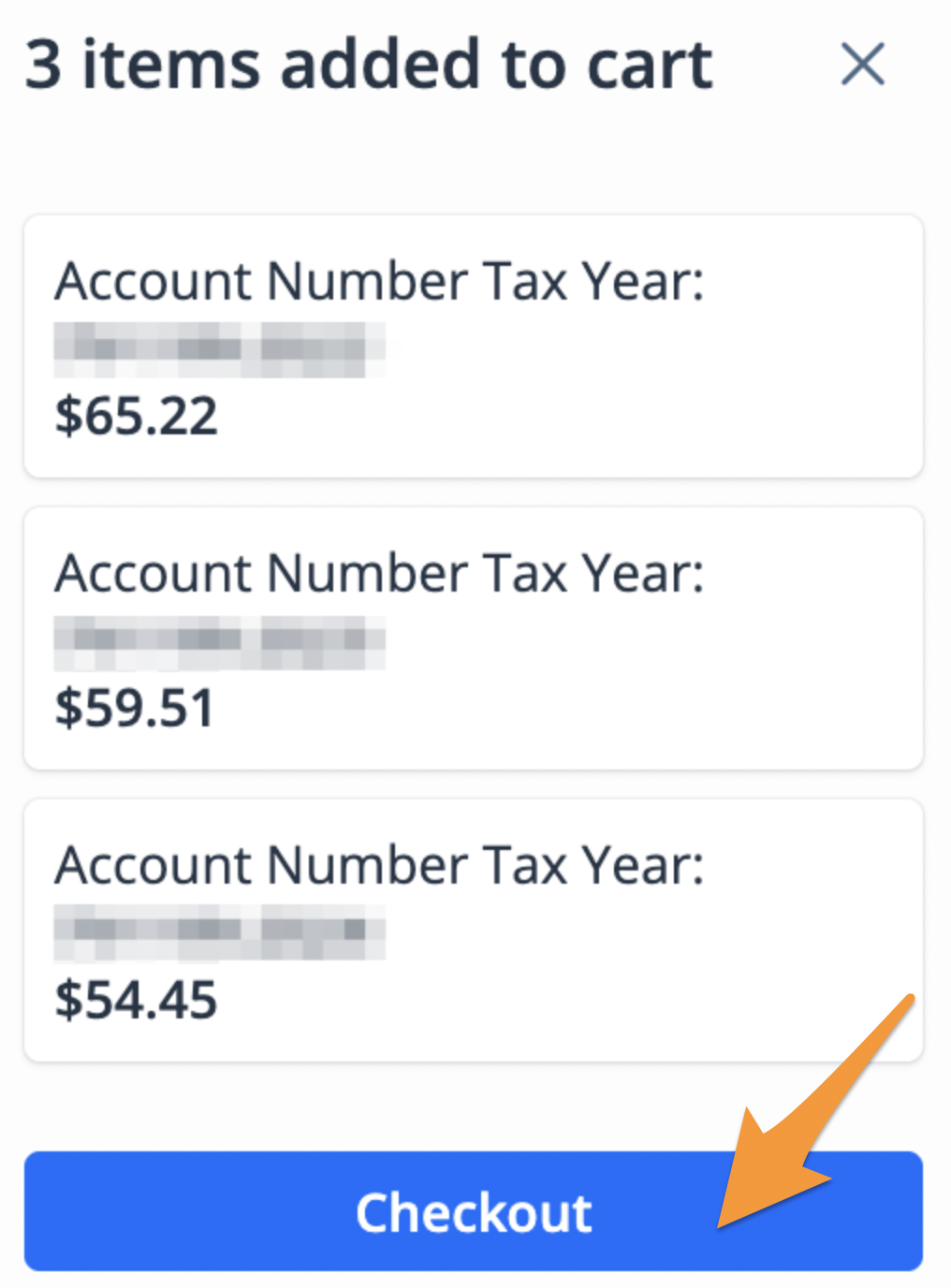
- On the cart notification, click Checkout
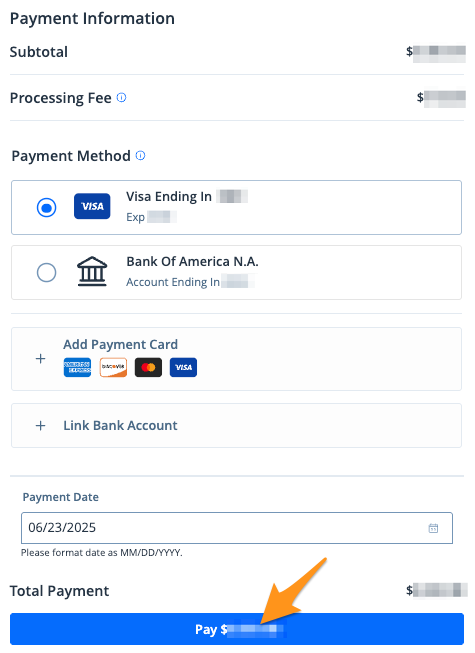
5. Select a payment method and click the blue Pay $--.-- button to complete your payment
After completing your payment, you will receive an email confirmation. If you are signed into your payitSt.Louis profile, a receipt will also be stored in the "Payment History" section of your profile (see Find a Receipt on payitSt.Louis).